
Range Rover Evoque: Front Seat
Removal
NOTE: Removal steps in this procedure may contain installation details.
1. Disconnect the battery ground cable.
Refer to: Specifications (414-01 Battery, Mounting and Cables, Specifications).
2. WARNING: To avoid accidental deployment, the restraints control module backup power supply must be depleted. Wait at least two minutes after disconnecting the battery ground cable(s) before commencing any repair or adjustment to the supplemental restraint system (SRS), or any component(s) adjacent to the SRS sensors.
Failure to follow these instructions may result in personal injury.
Make the SRS system safe.
Refer to: Standard Workshop Practices (100-00 General Information, Description and Operation).
3. CAUTION: Make sure that new bolts are installed.
Torque: 40 Nm
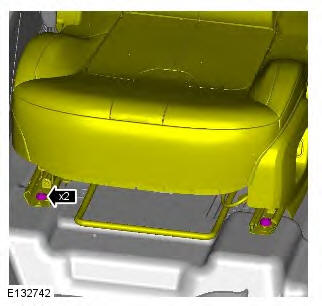
4. CAUTION: Make sure that new bolts are installed.
Torque: 40 Nm
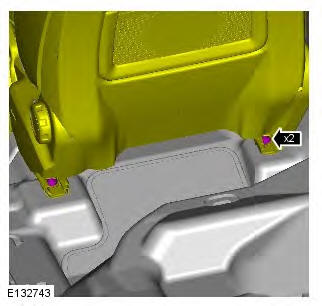
5.
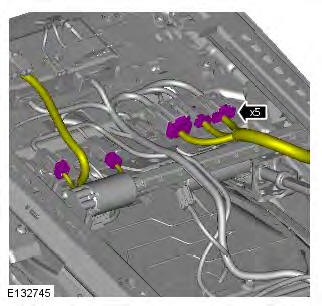
6. CAUTIONS:
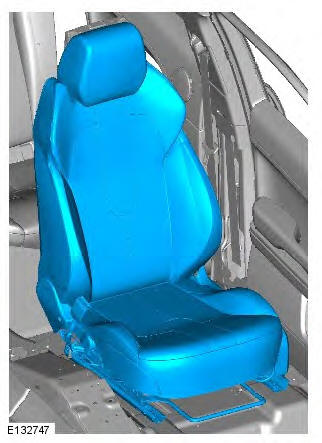
Protect the surrounding paintwork to avoid damage.
Care must be taken to avoid damaging the surrounding components.
Remove the seat through the door aperture.
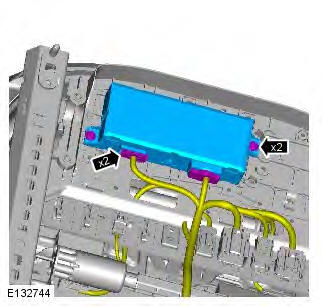
7. NOTE: Do not disassemble further if the component is removed for access only.
Torque: 4.5 Nm
Installation
1. To install, reverse the removal procedure.
READ NEXT:
 Front Seat Backrest Cover
Removal
WARNINGS:
To avoid accidental deployment and possible personal injury, the backup
power supply must be depleted before
repairing or replacing any air bag supplemental restraint system (SRS)
Rear Seat Backrest Cover 5-Door
Removal
NOTES:
This procedure covers the removal and installation of both rear seat
backrests and the LH rear seat backrest cover.
The RH rear seat backrest cover is similar. All notes and cautions
Front Seat Track Motor
Removal
NOTES:
Some variation in the illustrations may occur, but the essential
information is always correct.
Removal steps in this procedure may contain installation details.
1. Raise the front se
SEE MORE:
Important information
The information contained in this handbook covers all vehicle derivatives and
optional equipment,
some of which may not be fitted to your vehicle. Due to printing cycles, this
handbook may include
descriptions of options before they become generally available.
The vehicle options, hardware an
Symbols used in this handbook
Safety warnings indicate either a procedure which must be followed
precisely, or
information that should be considered with great care, in order to avoid the
possibility
of personal injury.
Cautions indicate either a procedure which must be followed precisely, or
information that
should
